Slack Installation
Our Slack installation help line managers, buddies and other related users receive information about their new joiners and notifications from the Eli Onboarding system.
To install Slack you must do so from within your Eli system so Slack knows which Eli to connect to.
- Login to your Eli system
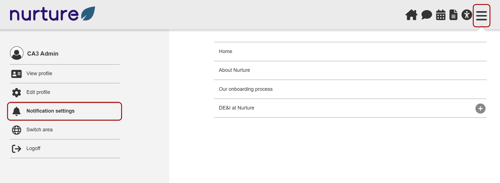
- Use the main navigation, or "burger" navigation, in the top right to navigate to the Notification Settings section
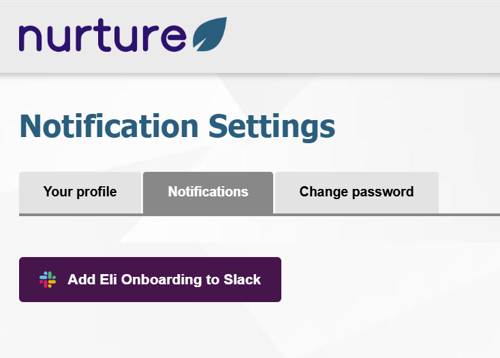
- Click on the Add Eli Onboarding to Slack button to connect Eli to Slack
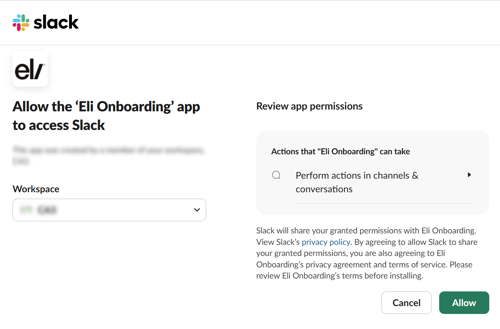
- You may need to either approve the app if you are an admin or request app approval from an admin
- Otherwise you will need to review and accept and allow the permissions required by the app
NOTE: That there are no user permissions, the Eli Slack app can not act as you in any way.
Screenshots showing the process